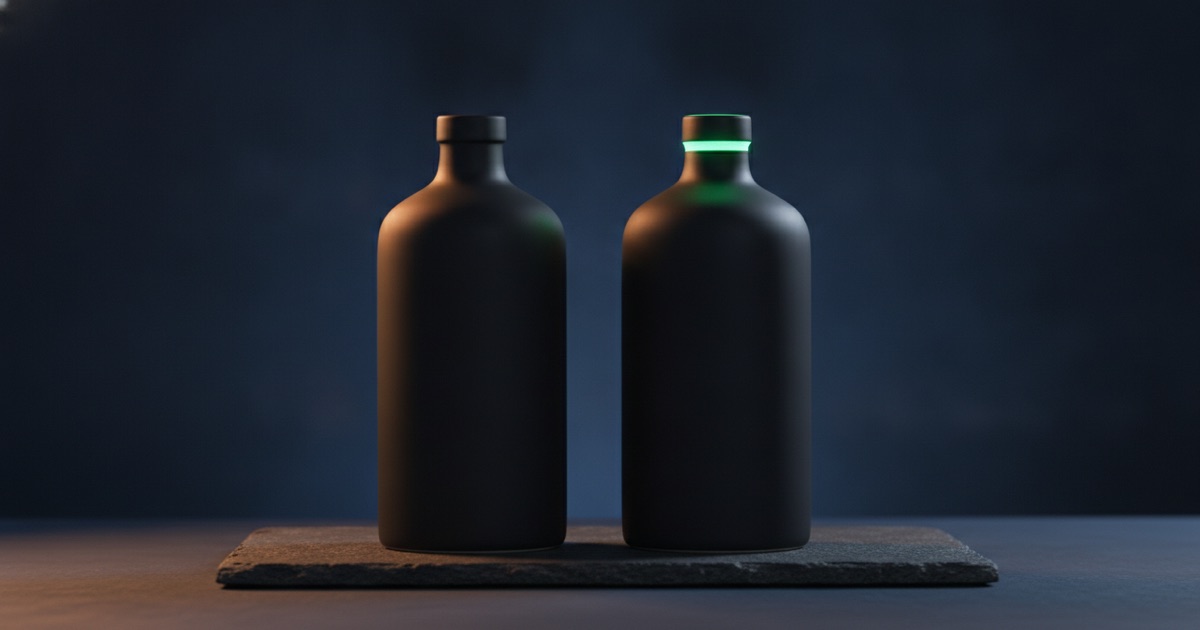
These two get compared constantly, usually on the wrong axis. People ask which is better. The useful question is which part of the job you are on, because they are strong in different places and the answer flips halfway through a typical product shoot.
What each one is built around
Nano Banana Pro is a resolution-first model. It offers eleven aspect ratios and three resolution tiers, and it holds detail when you push it to 4K. It is the one to reach for when the output has a fixed destination — a print, a marketplace listing with zoom, a banner that gets cropped three ways.
GPT Image 2.5 is an instruction-first model, and it ships as two variants. Flare is the quicker one. Sunburst takes longer and is the more careful of the pair. Both accept up to sixteen reference images, which is more than any other model in the catalogue, and both offer twelve aspect ratios including the awkward ones like 21:9 and 9:8.
The numbers side by side
| Nano Banana Pro | GPT Image 2.5 (Flare / Sunburst) | |
|---|---|---|
| Credits at 1K / 2K / 4K | 46 / 46 / 81 | 6 / 10 / 61 |
| Aspect ratios | 11 | 12 |
| Reference images | up to 8 | up to 16 |
| Typical wait | 20-60 seconds | Flare 15-40s, Sunburst longer |
| Strongest at | Detail that survives 4K | Following a long, specific brief |
GPT Image 2.5 is cheaper at every tier. That alone does not settle it, because the two models fail in different ways, and a cheap failure you have to rerun is not cheap.
Where Nano Banana Pro wins
Anything that will be examined closely. Fabric weave, brushed metal, the edge of a label, condensation on glass — these are the details that fall apart when a model paints them at a small size and upscales. Rendering natively at 2K or 4K keeps them intact.
It also wins on long, thin frames. Eleven ratios covers the ones a real layout needs, and the model composes for the frame rather than generating a square and cropping. If your hero slot is 21:9, that difference is visible immediately.
The cost of that strength
81 credits per 4K render adds up fast, and most images do not need it. If the final placement is a 1,200-pixel-wide card, 1K is the honest choice and you have just spent 46 instead of 81. We went through this arithmetic in more detail in what one AI image costs.
Where GPT Image 2.5 wins
Long briefs. If your prompt has five constraints — the object, the surface, the light direction, what is out of focus, what must not appear — this is the model that keeps all five. Other engines tend to satisfy the first three and improvise the rest.
Reference-heavy work. Sixteen reference slots means you can show the model the product from several angles, plus a mood board, plus the exact packaging, and get something that respects all of it. Eight is usually enough; sixteen is the difference between showing a product and showing a product line.
Edits that must not disturb the rest of the frame. Both Flare and Sunburst are careful about leaving alone the parts of an image you did not mention, which is exactly what you want when a client asks for one change.
Flare or Sunburst?
Flare for volume, Sunburst for the one that matters. They cost the same on this platform, so the trade is time rather than credits. Run Flare while you are still deciding; switch to Sunburst for the frame that ends up on the page. Each has its own landing page — Flare and Sunburst — if you want the specifics.
A shoot, split between them
Here is how a real listing job divides. The product is a ceramic bottle; you need one hero, four angles, and two lifestyle shots.
| Step | Model | Why |
|---|---|---|
| Composition tests | Qwen Z-Image, 2 credits | Framing only; nothing here is final |
| Hero, 2K | Nano Banana Pro, 46 | Glaze and rim need to hold up when zoomed |
| Four angles, 1K | GPT Image 2.5 Flare, 6 each | Consistency across a set, from references |
| Two lifestyle scenes | GPT Image 2.5 Sunburst, 6 each | Long brief: kitchen, morning light, no faces |
| Background cleanup | Background remover, 4 | Not a prompt job |
Total: about 95 credits for a complete listing. Running every frame on the most expensive setting would have cost five times that and produced a less consistent set, because the angles would not have shared references.
When both are the wrong answer
Text inside the image. Neither of these is the specialist. If the picture contains packaging copy or a sign, Ideogram is the model built for it, and it starts at 10 credits on Turbo.
You already have the photo. If the product shot exists and the problem is the backdrop, do not regenerate anything. Image to image with the original as a reference costs one render; switching to a white background or cutting it out entirely costs less and preserves the actual product.
Twenty variations of a mood. That is drafting work. Use a 2-credit model, pick a direction, then bring the winner to one of these two.
How to decide in ten seconds
Ask where the image ends up. Print, zoom or heavy cropping means Nano Banana Pro at 2K or 4K. Ask how long your brief is. More than three constraints, or more than two reference images, means GPT Image 2.5. Ask whether anything in the frame is text. If yes, neither — use Ideogram.
Everything else is a draft, and drafts should be cheap. The workspace keeps the same prompt box across all eighteen models, so moving a prompt between them is a dropdown, not a rewrite. If you are still deciding how to frame the shot at all, start with text to image or image to image, which is the more consequential choice.
Pricing for both, along with the rest of the catalogue, is on the plans page. New accounts get starter credits, which is enough to run the comparison above on your own product before committing to either.
Consistency across a set
Single images flatter both models. Sets separate them. When you need eight photographs that look like one shoot, the deciding factor is how faithfully a model reuses references, and that is where the sixteen-slot limit on GPT Image 2.5 earns its place: you can hold the product, the lighting and the surface constant while only the angle changes.
Nano Banana Pro, with eight slots, handles the same job comfortably for a single product. The gap shows when a set spans several products that must share a visual language.
Editing behaviour
Both accept an existing image and a change request, and they differ in temperament. GPT Image 2.5 is conservative — it tends to leave untouched anything your instruction did not mention, which is what you want for client revisions. Nano Banana Pro is more willing to re-render surrounding detail, which helps when the change is substantial and hurts when it is not.
For precise, small edits on a photograph you already like, the conservative behaviour wins. For "rebuild this scene around the product", the other does.
Neither is a cleanup tool
Worth repeating because it is the most common misuse of both: if the only problem with an image is something in the frame, no model should be involved. Object removal and the background tools keep the subject byte-identical, which a regeneration cannot promise. We covered the boundary in cleaning up images.